Have any question?
Call (252) 449-7603
Call (252) 449-7603


In my years in this industry, I’ve noticed a recurring pattern in the cloud landscape: prices rarely, if ever, trend downward.
Microsoft recently rolled out another series of price adjustments across its core business suite. I understand the frustration; it often feels like a subscription tax that eats into your margins without offering a visible change to your daily workflow.

A friend of mine runs a successful firm, and like many owners, he’s been looking for ways to trim overhead. He told me, with a bit of a proud grin, that he saved a few thousand dollars this year by simplifying his IT stack and letting go of his managed security plan in favor of a basic off-the-shelf antivirus.
He asked me if it was all essentially the same stuff anyway.
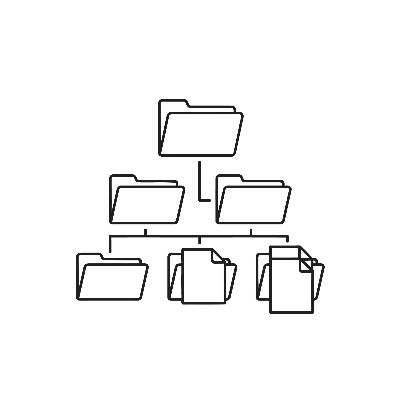
Most businesses are sitting on a mountain of data, but they’re treating it like a junk drawer. Adding a fancier drawer—like some five-figure AI-powered document management suite—doesn't help if you’re still just tossing stuff in there.
You probably don't need more software. You need a system. Before you go spending money on a solution for a headache that shouldn't exist in the first place, you need to look at how you handle the information you already have.

I was talking to a long-time colleague the other day about his firm's recent brush with a compliance audit. He’s the type of owner who prides himself on having his ducks in a row, but he sounded rattled. He’d just received a formal notice regarding how his team was handling customer data, and his first instinct was confusion. He thought that because he had an antivirus and a firewall, he was covered.

Imagine one of your employees receives a phone call from someone who sounds exactly like you. They have your cadence, your "ums," and even that specific way you clear your throat before getting down to business. Would they be able to tell it’s a deepfake, or would they follow the instructions to urgently reset a password or move funds?
If you can’t answer that with an emphatic "yes," you’ve got some work to do. We’ve moved far beyond the era of the Nigerian Prince emails and obvious typos. We are now in the age of highly polished, AI-driven social engineering where the "bad guys" are using your own identity against your team.
I was working on a project the other day, and as I started typing out a summary, a little icon popped up in the margin of my Google Doc. It was Google’s AI, essentially asking me if I wanted help "refining" my thoughts.
If you use Google Workspace for your business, you’ve likely seen these "Help me write" prompts appearing. It’s part of the massive AI wave we’re seeing everywhere, but this one is right there in the middle of your workspace.

In 2026, technology isn't just a support department—it's the engine of your business. But as tools like AI and cloud computing become more accessible, the margin for error has narrowed. A single misstep can lead to data breaches, wasted budgets, or total operational paralysis.
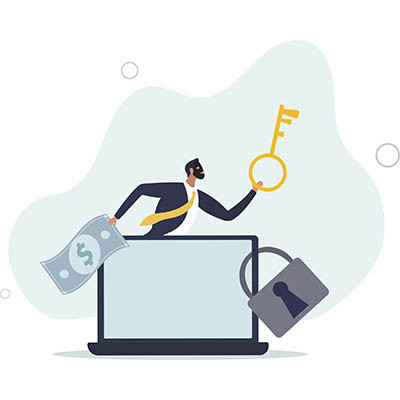
Getting hit with ransomware feels like a digital kidnapping. Your files are locked, your business is paralyzed, and some hacker is demanding a massive bag of crypto to give you the keys back.
It’s tempting to just pay up to end the nightmare, but here’s the reality: Don’t do it. Even though attacks are hitting record highs this year, fewer people are actually paying than ever before. Here is why ghosting the hackers is the only winning move.

If you feel like your to-do list keeps growing every day, you aren’t alone. For many entrepreneurs, the day feels like a losing battle against the clock, switching from sales spreadsheets to marketing plans until your brain feels like it has too many tabs open.
Running a small business in 2026 means you are essentially running a technology company, regardless of what your business is. The digital backbone of your operation—your payment processors, inventory systems, and customer databases—has become incredibly sophisticated, but that sophistication often brings a new level of technical headache. If you have recently heard the term AIOps and felt a wave of fatigue, you are certainly not alone.

With smartphones as accessible as they are, it’s no small wonder how company-only policies have all but faded into obscurity in the workplace. Whether you allow it or not, you can bet that your team is using their smartphones to get work done, whether it’s checking email from their couch or sending you a quick DM. In other words, you need a Bring Your Own Device (BYOD) policy, as it is practically the new accepted standard.

Modern gadgets make running a business easier. From smart thermostats and lightbulbs to connected coffee machines, the Internet of Things (IoT) brings a lot of convenience to the workplace. However, because these devices are built for speed and low cost, they often skip the security features your business actually needs.
Essentially every smart device in your office is a potential digital back door for hackers. Let’s take a look at how IoT—as helpful as it can be—can also be a big problem.

In the race to implement generative AI and predictive analytics, most organizations focus on the high-profile tasks: choosing a Large Language Model (LLM), fine-tuning the parameters they need to use, or designing sleek user interfaces. There is a gritty, structural reality that often brings these projects to a grinding halt before they even launch: data silos.
We’ve all heard the old proverb: “Data doesn’t exist unless it’s in three places.” For years, the 3-2-1 backup strategy was the industry gold standard. It was simple, effective, and kept us safe from hardware failures and accidental deletions.
However, the threat landscape has shifted. With the rise of sophisticated ransomware that specifically targets backup repositories, the traditional rule has evolved. Enter the 3-2-1-1 rule, the modern blueprint for organizational resilience.

The old ways of working aren't just outdated, they’re a liability. As we navigate the mid-2020s, the “hustle harder” mantra has been replaced by a more sophisticated approach: algorithmic efficiency. If you’re still manually wrestling with your inbox or playing calendar Tetris, you’re running legacy software on modern hardware. This month, we thought we’d give you four tips to maximize your efficiency.

If you’re an SMB owner, you probably think your biggest overhead is rent, payroll, or inventory. You’re wrong.
Your biggest hidden expense is the friction tax: the literal dollars leaking out of your bank account every time a 12-person email thread lands in an inbox. Most business owners treat IT like a utility, but if your team is still collaborating via CC’d emails and messy threads, you aren’t running a modern business. You’re running a digital archaeological dig.
For literal decades, we heard that a good password required a few key traits to be secure: a capital letter, a number, and eight characters. How times have changed, right?
Now, the baseline standards are similar… just multiplied to the nth degree. Let’s discuss why this is, what modern businesses now need to do, and how we can help to maintain password security moving forward.

Sometimes the toughest lessons that hurt the most are the ones we need the most, as is the case with anything cybersecurity related. You don’t want to experience a data breach, regardless of how it’s caused, but preventing them is a bit more challenging than you might at first expect. If you want to avoid losing time, money, and reputation needlessly, then take these three cybersecurity lessons into consideration today.
For many business owners, modern technology feels like a high-maintenance treadmill: you keep running faster and spending more money just to stay in the same place, without ever actually moving forward. If you have ever felt like you are buying software just to keep up rather than to get ahead, you are not alone.
The goal should not be to buy more IT. The goal is to capture value. Here is how to bridge the gap between technical complexity and business growth.

We all have that one person. The "rockstar." They answer emails at 11 p.m., they juggle four projects at once, and they never say "that’s not my job." They move fast, they break things, and they get results.
They are also the person most likely to bankrupt your company before lunch.
Our network audit will reveal hidden problems, security vulnerabilities, and other issues lurking on your network.
Learn more about what Shoshin Technologies Inc can do for your business.
Shoshin Technologies Inc
3116 North Croatan Hwy. Suite 103
Kill Devil Hills, North Carolina 27948